2025’s Top 10 Technological Trends

Top 10 Technology Trends Dominating 2025

By 2025, technology will not only continue to develop but also transform how we communicate, work, study, and live. The rate of development is more rapid and thrilling than ever before, with AI transforming industries and immersive realities permeating daily life.

Here are the top 10 technological trends that will dominate 2025, whether you’re a tech enthusiast, business owner, or simply interested in what’s coming up next.

1. AI Pervasive: From Helpers to Producers

Artificial intelligence is no longer a new concept. Real-time translations, AI coding tools, hyper-personalized content, intelligent assistants, and even the creation of music and art are all made possible by AI in 2025.

  • Claude, Sora, Gemini, and ChatGPT are popular tools.
  • Impact: Customer service, healthcare diagnostics, content production, and business automation

AI is evolving to become your daily companion, not simply a tool.

AI Pervasive: From Helpers to Producers

2. Generative AI Becomes More Intelligent and Secure

Even if generative AI is producing realistic deepfakes and blog posts, 2025 will be all about responsible generation. At the forefront are openness, regulation, and watermarking.

  • New applications: ElevenLabs, Sora, Midjourney, and DALL·E
  • Use cases include UX/UI design, marketing, teaching, and filmmaking.

3. AR/VR/XR Mixed Reality Becomes Commonplace

Spatial computing is becoming more widely available to individuals and businesses with products like Apple Vision Pro, Meta Quest 3, and more reasonably priced AR gadgets.

  • Applications include remote assistance, immersive gaming, interactive learning, and virtual meetings.
  • The tendency to blur the distinctions between digital and physical

In the coming years, AR glasses are expected to become as popular as smartphones.

AR/VR/XR Mixed Reality Becomes Commonplace

4. 5G and 6G Networks: Everything Is Hyperconnected

While the development of 6G promises lightning-fast internet that permits real-time holographic communication and AI edge computing, 5G is already improving speed and latency.

  • Impact: Real-time robots, smooth streaming, and smarter cities
  • Affected industries include agriculture, healthcare, logistics, and entertainment.

5. AI-Powered Healthcare and Biotechnology

AI is transforming robotic surgery, medication development, and healthcare diagnostics. In 2025, more wearable technology and home testing kits with AI capabilities should be available.

  • Examples include AI diagnostic assistants and smartwatches that can identify illnesses early.
  • Trend: Faster, more precise therapies and personalized medication

AI-Powered Healthcare and Biotechnology

6. Cybersecurity AI-powered

The defenses change along with the threats. By 2025, artificial intelligence (AI) will be used by cybersecurity technologies to identify irregularities, stop phishing attempts, and instantly stop ransomware attacks.

  • Trend: AI vs. AI: combating offensive and defensive algorithms
  • Commonly used tools include Bitdefender AI, SentinelOne, and CrowdStrike.

Cyber hygiene is now necessary, not optional.

7. Sustainable Innovation & Green Technology

Technology is now about sustainability as much as performance. Significant advancements in clean technology, energy-efficient data centers, and environmentally friendly hardware are anticipated by 2025.

  • Examples include biodegradable packaging, smart grids, and solar-powered Internet of Things devices.
  • Leading companies include Beyond Meat, EcoFlow, Google, and Tesla.

A more conscientious digital future is being shaped by sustainable technology.

Sustainable Innovation & Green Technology

8. Beyond Crypto, Blockchain

Blockchain is quietly changing supply chains, identity verification, smart contracts, and even voting systems, while cryptocurrency makes headlines.

  • Trends include Web3 platforms, NFTs in gaming and art, and decentralized apps (dApps).
  • Use cases include real estate, healthcare record archiving, and transparent governance.

It has to do with decentralization, security, and trust.

9. Conversational Interfaces and Voice Technology

Voice assistants are becoming more emotion-sensitive, multilingual, and context-aware; smart speakers are outdated. Voice is winning in accessibility and hands-free work.

  • Well-known platforms include OpenAI Voice Mode, Google Assistant, Siri, and Alexa.
  • Voice-activated automobiles, houses, and offices are a trend.

We’re heading toward a world without screens and hands.

Conversational Interfaces and Voice Technology

10. The Explosion of No-Code/Low-Code Platforms

These days, tech isn’t just for programmers. Anyone can create an app, website, or automation workflow with little to no coding knowledge thanks to platforms like Notion AI, Webflow, and Bubble.

  • Benefits include reduced developer workload, easier access to innovation, and quicker prototyping.
  • Trend: Encouraging small enterprises, entrepreneurs, and innovators

This is how development is becoming more democratic.

Concluding remarks

2025 will be a year of digital empowerment, immersive experiences, and intelligent automation. We now have access to the tools we once only dreamed of, and they are changing the way we interact, work, and live.

The secret to remaining ahead is to keep up with these developments, whether you’re utilizing AI tools, investigating augmented reality experiences, or using cybersecurity to future-proof your company.

YouTubers’ Top 5 Video Editing Tools for 2025

YouTubers' Top 5 Video Editing Tools for 2025

Video editing is becoming a must for YouTubers in the content-driven world of today. Having the correct editing software may make or break your channel, whether you’re vlogging, reviewing things, or producing cinematic video.

The good news? In 2025, there will be no shortage of robust, easy-to-use video editing solutions to suit all budgets and ability levels. The Top 5 video editing tools for YouTubers are listed below to help you improve your work.

1. Premiere Pro by Adobe

Ideal for: Skilled YouTubers and producers seeking cutting-edge functionality.

The industry standard for video editing is still Adobe Premiere Pro. With its accurate controls, powerful capabilities, and smooth connection with other Adobe products like Photoshop and After Effects, it is used by both YouTubers and filmmakers.

Important attributes:

  • Color grading and multi-camera editing
  • Effects and motion graphics
  • Enables VR, 4K, and 8K editing
  • Social media auto-reframe

Reasons to Love It:

It provides unparalleled creative control, is updated frequently, and is of professional quality.

Premiere Pro by Adobe

2. Final Cut Pro

Ideal for: Mac users looking for quick and simple editing.

Apple’s high-end editing program, Final Cut Pro, is renowned for its robust capabilities, speed, and stability. For producers who want to make excellent videos without a significant learning curve, it’s perfect.

Important attributes:

  • Timeline with magnetic properties
  • Superior color grading
  • HDR support and 360° video
  • Apple Silicon-optimized (M1, M2, etc.)

Reasons to Love It:

It’s quick, elegant, and ideal for YouTubers who want high-quality Mac output.

Final Cut Pro

3. The DaVinci Resolve

Ideal for: Artists seeking free, professional-caliber color grading.

Because of its Hollywood-caliber color correction features, DaVinci Resolve is a favorite among editors. The finest aspect? The most basic version is still very powerful and is free.

Important attributes:

  • Leading color tools in the industry
  • Fusion for visual effects and motion graphics
  • Pro-level audio editing using Fairlight
  • Collaboration among multiple users

Reasons to Love It:

Resolve is a must-try if you want professional quality but are on a tight budget.

The DaVinci Resolve

4. Wondershare’s Cinema

Ideal for: Novice and intermediate artists.

Even for novice users, Filmora’s easy-to-use drag-and-drop interface, pre-installed templates, and transitions make editing quick and enjoyable. It’s perfect for instructional creators and lifestyle vloggers.

Important attributes:

  • AI audio denoise and clever cutoff
  • Library of stock media
  • Integrated animations and effects
  • Simple export settings for social networking

Reasons to Love It:

Despite being beginner-friendly, it enables you to swiftly produce visually appealing and captivating videos.

Wondershare's Cinema

5. Desktop CapCut

Ideal for: material producers who specialize in mobile editing and short-form material.

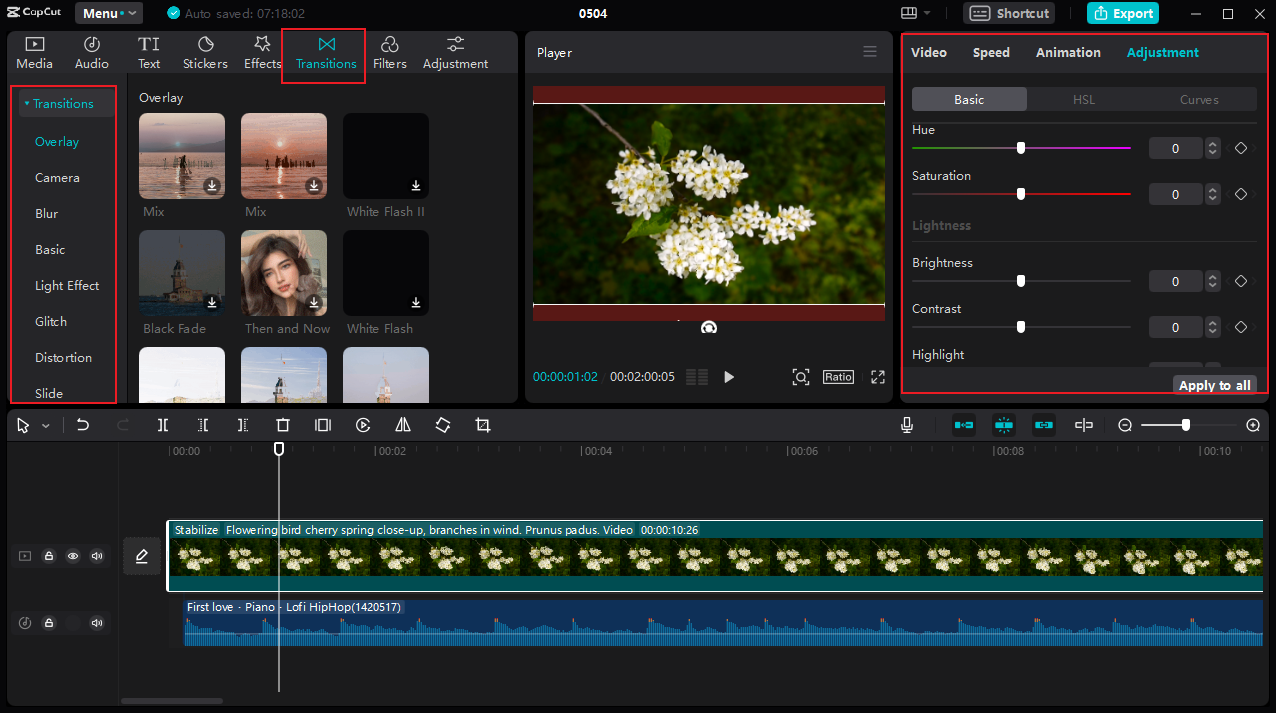
Initially developed as a mobile application, CapCut now offers a robust PC version. It’s quick, free, and ideal for anyone who creates TikTok, YouTube Shorts, or Reels.

Important attributes:

  • Speech-to-text and auto-captioning
  • Stylish transitions and templates
  • AI background eliminator
  • Simple exports to social media

Reasons to Love It:

It’s easy to use, portable, and ideal for making fast modifications while on the road.

Desktop CapCut

Concluding remarks

Every YouTuber in 2025, regardless of whether they are just starting out or growing their channel, can find the ideal video editing tool. Here’s a summary:

Tool Best For
Adobe Premiere Pro Advanced editors & pros
Final Cut Pro Mac-based creators
DaVinci Resolve Free, pro-quality editing
Filmora Beginners & quick edits
CapCut Short-form video creators

Pro Tip: Select a tool that complements your workflow and editing style. Avoid chasing things you won’t utilize because better, quicker content development is frequently the result of simplicity.

Why Two-Factor Authentication Is Important and What It Is

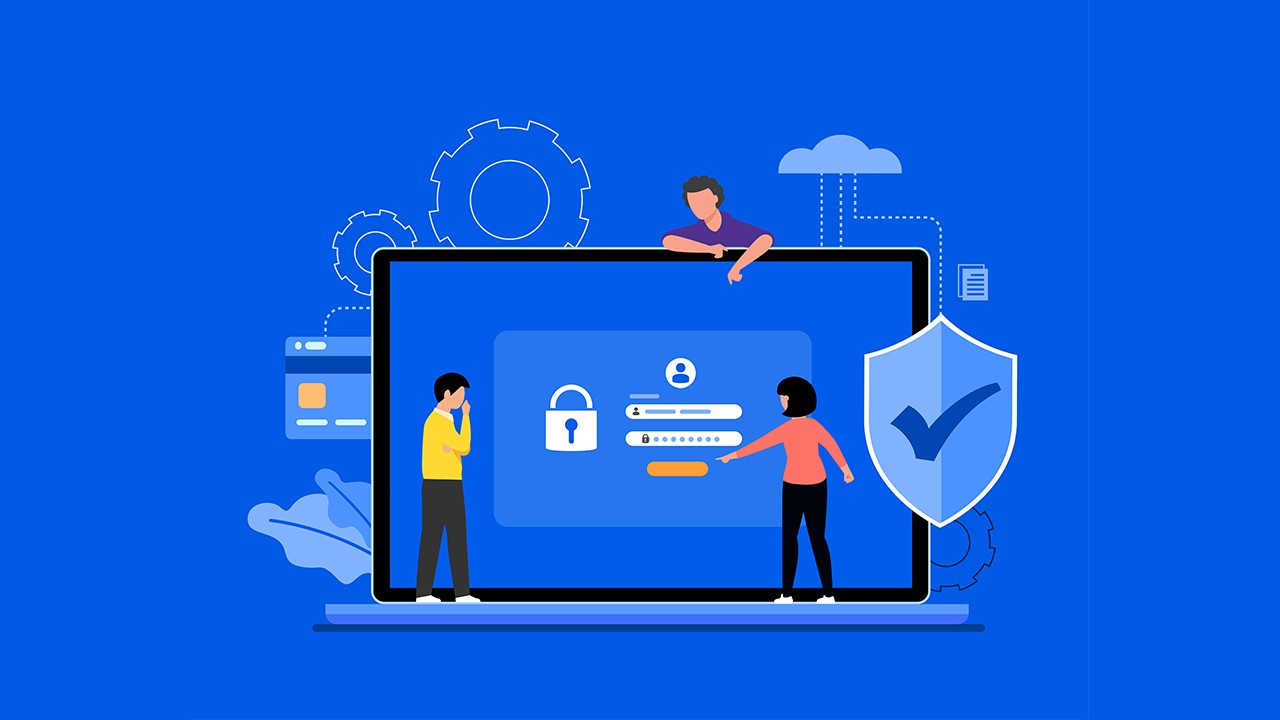
Using a password to secure your accounts is no longer sufficient in a world where cyber threats are on the rise and personal information is increasingly at risk. Two-Factor Authentication (2FA) can help with that.

You’ve already used it if you’ve ever entered your password and got a code via SMS. However, what is 2FA, and why is it important?

Let’s simplify it so that it is easy to comprehend and even easier to put into practice.

What Is Authentication with Two Factors?

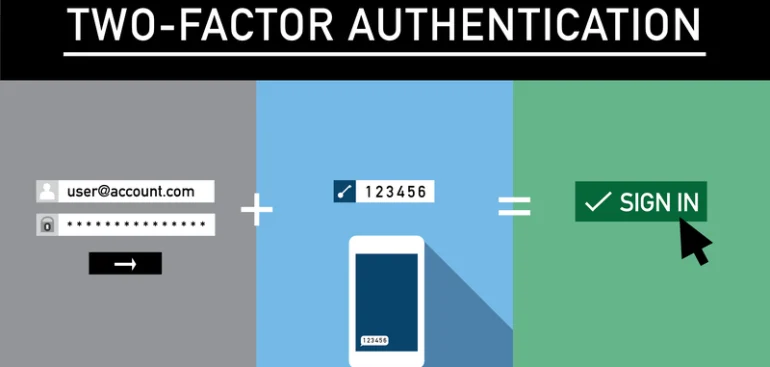
An additional security measure called two-factor authentication (2FA) is used to confirm that users attempting to access an online account are who they claim to be.

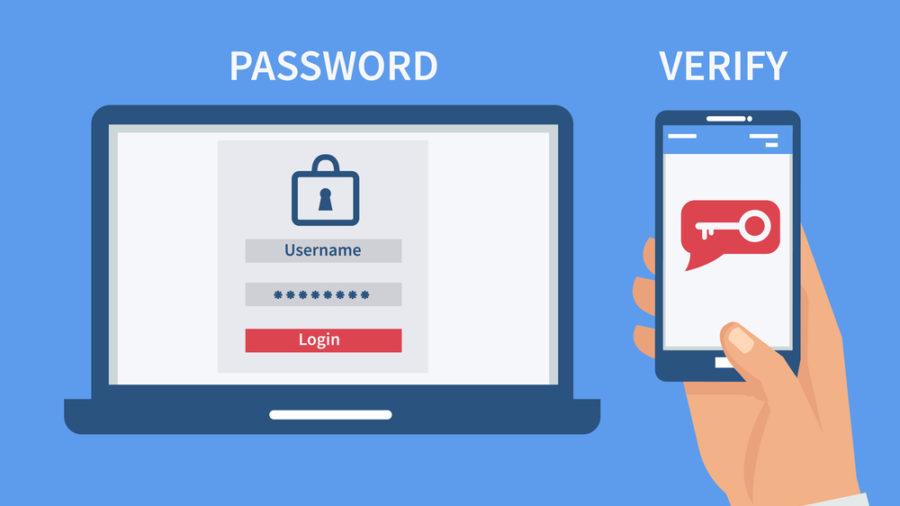
2FA demands a second form of identity in addition to a username and password.

Usually, these elements can be divided into three groups:

  1. Something you are familiar with, such as your password
  2. Something you own, such as a security key or your phone
  3. Something that identifies you, such as your facial ID or fingerprint

By requiring two of these to log in, 2FA makes it far more difficult for hackers to access your account.

What Is Authentication with Two Factors?

What Makes 2FA Important?

1. Passwords by themselves are no longer secure.

Brute force assaults, phishing scams, and data breaches can compromise even strong passwords. If you don’t have 2FA activated, a hacker can access everything from your bank account to your emails once they have your password.

2. Additional Protection for Private Data

Even in the event that your password is compromised, 2FA makes sure that only you can access your data, including work files, social media accounts, and cloud storage.

3. It is simple and cost-free to use.

It only takes a few minutes to set up 2FA, which is supported by the majority of popular websites and apps. When it comes to digital safety, a little work goes a long way.

What Makes 2FA Important?

Typical 2FA Method Types

• Codes for SMS

A one-time code is sent to your mobile number. Easy, but not the safest—text messages can be intercepted by hackers.

• Apps for Authenticators

Time-based codes are generated on your phone by apps such as Authy, Microsoft Authenticator, and Google Authenticator. safer than SMS.

• Biometrics

Face recognition and fingerprint scanning are frequently seen in high-security apps and smartphones.

• Keys for security

Physical USB devices that connect to your computer to confirm your identity include YubiKey.

Typical 2FA Method Types

How to Turn on 2FA

The majority of platforms make activating 2FA simple:

  • Navigate to the account settings.
  • Look for “Login Options” or “Security.”
  • “Two-Factor Authentication” should be selected.
  • Select the mode of your choice (email, SMS, app, etc.).
  • To link and validate your second factor, follow the instructions.

Concluding remarks

Digital identification is crucial in this day and age. Furthermore, safeguarding it is now required.

One of the simplest and most efficient methods to keep safe online is to use two-factor authentication. By turning on 2FA, you may feel secure knowing that your personal information is far more difficult to steal, whether you’re banking, buying, or just browsing social media.

Protect your accounts now rather than waiting for a breach. Prevention is always preferable to recovery in the field of cybersecurity.